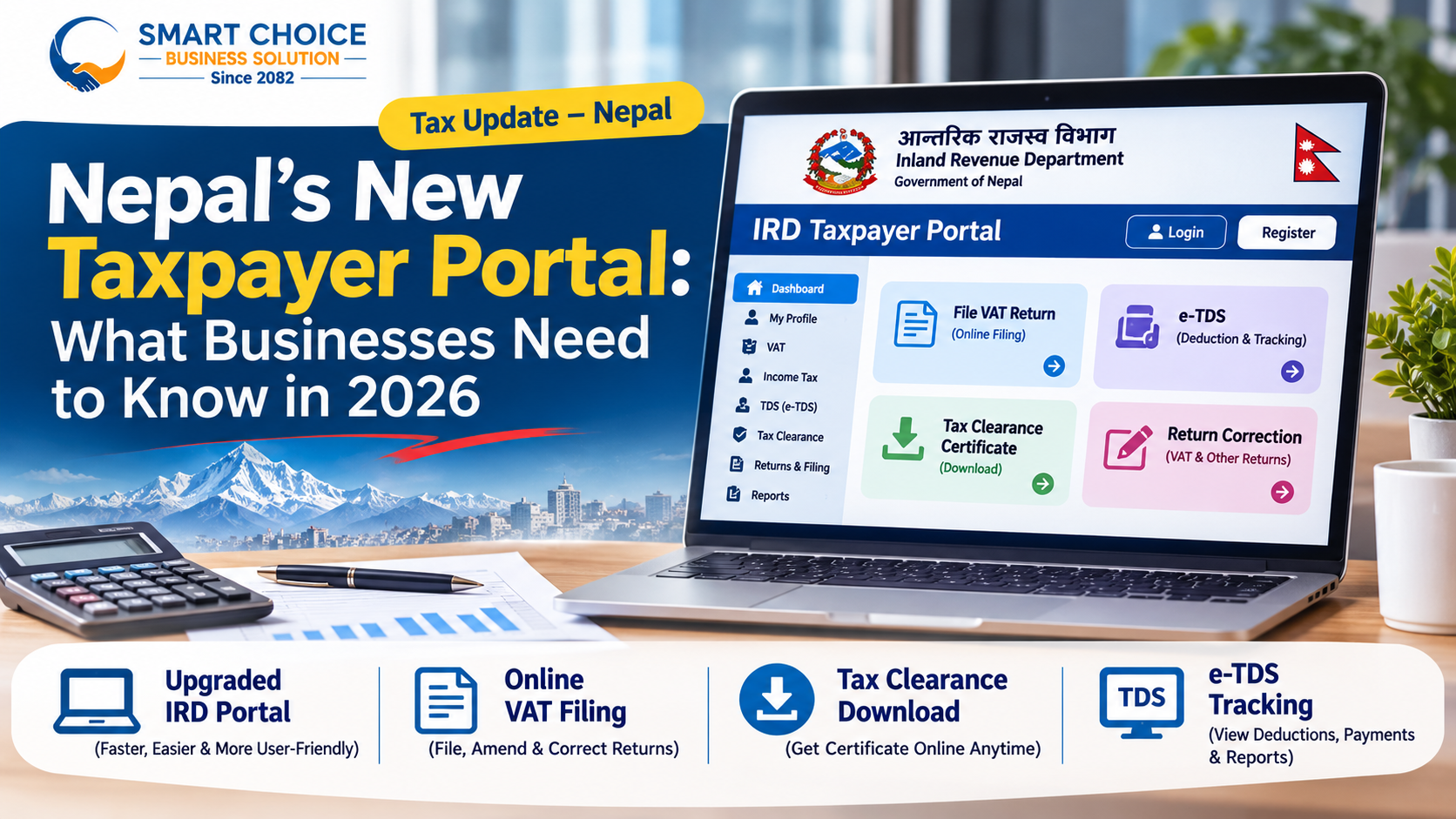
Nepal’s New Taxpayer Portal: What Businesses Need to Know in 2026
Nepal’s tax administration crossed a structural milestone in late August 2026. On August 25, 2026 (9 Bhadra 2083), the Inland Revenue Department (IRD) formally rolled out a redesigned, overhauled version of its Taxpayer Portal, transitioning away from its legacy monolithic web infrastructure toward a modern, microservice-driven, self-service ecosystem.
For Nepali businesses, accountants, auditors, and foreign investors, this upgrade represents far more than a cosmetic refresh. For more than a decade, taxpayers navigating taxpayerportal.ird.gov.np dealt with a familiar set of friction points: peak-deadline server bottlenecks around the 25th of every Nepali month, manual visits to Inland Revenue Offices (IROs) or Taxpayer Service Offices (TSOs) simply to rectify minor Value Added Tax (VAT) filing errors, opaque delays in verifying Tax Deducted at Source (TDS) credits, and bureaucratic queues to obtain stamped Tax Clearance Certificates (Kar Chukta Pramanpatra).
Under the leadership of IRD Director General Dr. Bhusal, the 2026 portal overhaul directly targets these operational bottlenecks.
Whether you manage a sole proprietorship in Pokhara, an import-export trading house in Birgunj, a hydropower project in Gandaki Province, or a corporate finance department in Kathmandu, understanding the architecture, legal mechanics, and operational workflows of the 2026 IRD Taxpayer Portal is essential for protecting cash flow, avoiding statutory penalties under the Income Tax Act 2058 and Value Added Tax Act 2052, and maintaining uninterrupted audit readiness.
1. Strategic Context: Why the IRD Rebuilt Nepal’s Tax Infrastructure in 2026
To appreciate the practical impact of the 2026 portal upgrade, it helps to examine the structural pressures that forced the modernization of Nepal’s Integrated Tax System (ITS).
The Limits of the Legacy Portal
Nepal’s first-generation electronic tax filing system digitized basic return submissions, Permanent Account Number (PAN) registrations, and e-TDS uploads. However, as the formal tax base expanded—spanning over 84 field offices nationwide (comprising 43 Inland Revenue Offices, 39 Taxpayer Service Offices, 1 Large Taxpayer Office, and 1 Medium Level Taxpayer Office)—the legacy architecture began showing systemic strain:
Traffic Bottlenecks on Statutory Deadlines: Because Nepali VAT returns, excise duties, and monthly TDS deposits all converge on the 25th day of the subsequent Nepali month, concurrent user spikes routinely degraded portal responsiveness, forcing finance teams to file returns late at night.
Asymmetric Digitization: While initial return submission was online, exception handling remained stubbornly physical. If an accountant transposed two digits on a VAT purchase register or missed an invoice in a monthly return, the legacy portal offered no self-service mechanism to file an amended return. Taxpayers had to draft formal applications, attach supporting ledgers, and physically visit their jurisdictional IRO or TSO for officer-level intervention.
TDS Reconciliation Blind Spots: Businesses receiving payments subject to withholding tax (such as consultancy fees, contract payments, rent, or service charges) frequently discovered months later during annual income tax reconciliation that a client had deducted TDS at source without depositing it or mapping it accurately to the recipient's PAN.
Paper-Heavy Verification Loops: Obtaining a Tax Clearance Certificate or verifying excise and foreign-investor PAN applications required iterative physical verification loops between taxpayers and tax officers.
The 2026 Architectural Shift: Microservices & Design-Driven Development
Launched initially in a live trial phase on August 25, 2026—running parallel to the legacy portal during the stabilization window so businesses experience zero compliance disruption—the new portal introduces several foundational engineering and policy shifts:
| Architectural & Operational Dimension | Legacy IRD Taxpayer Portal | Upgraded 2026 IRD Taxpayer Portal |
| System Architecture | Monolithic legacy web application prone to peak-load slowdowns | Microservice architecture built via design-driven development for elastic traffic scaling |
| VAT Return Corrections | Manual application and physical visit to jurisdictional IRO/TSO required | Self-service online VAT return amendment directly within the portal |
| Tax Clearance Certificates | In-person follow-up and manual administrative processing delays | Direct online login and self-service download of verified certificates and tax documents |
| e-TDS Visibility & Tracking | Delayed batch visibility; difficult to audit unremitted withholdings | Real-time tracking with automated alerting if not reflected by the 25th of the following month |
| Foreign Investor Onboarding | Heavy reliance on physical paperwork for PAN registration | Remote online PAN application workflow for foreign investors |
| Excise & Ancillary Compliance | Physical verification bottlenecks at tax offices | Online excise verification and consolidated single-platform tax workflows |
Alongside the core portal upgrade, the IRD simultaneously rolled out complementary digital compliance initiatives in August 2026—most notably the Taxpayer Incentive Portal (effective from Shrawan 1, 2083, incentivizing consumers to register official VAT/PAN bills worth NPR 100 or more for daily NPR 100,000 and bi-weekly NPR 1,000,000 draws) and updated versions of the official IRD Nepal mobile application. Taken together, these reforms create a closed-loop digital ecosystem: consumers are incentivized to demand legitimate electronic bills at the point of sale, while businesses are equipped with streamlined self-service tools to report, amend, reconcile, and certify their tax positions online.
2. Deep Dive: Inside the Upgraded IRD Taxpayer Portal
Before diving into the specialized modules for VAT corrections, tax clearance downloads, and e-TDS tracking, businesses need a clear map of how the upgraded portal is structured, how authentication works, and how the parallel-run transition affects daily accounting operations.
Dual-Portal Transition Strategy
During the rollout phase starting August 25, 2026, the IRD adopted a phased parallel-operation model. Rather than abruptly shutting down the existing portal (taxpayerportal.ird.gov.np), the department maintained backward compatibility while routing users to the upgraded interface (taxpayerportalb.ird.gov.np / new portal gateway) for testing and progressive feature adoption.
For businesses, this means:
Existing Credentials Carry Over: Your existing 9-digit Permanent Account Number (PAN), username, and password remain valid across the Integrated Tax System.
Unified Module Taxonomy: Upon logging into the Taxpayer Login dashboard, services are cleanly segmented into modular microservices:
General & Profile Management: Taxpayer master data, branch/business activity updates, contact verification, and document repository.
Registration (PAN, VAT, EXCISE): New business PAN applications, personal PAN (PPAN), VAT registration, excise licensing, and the newly digitized online PAN registration for foreign investors.
VAT Module: Monthly/bimonthly/trimesterly return submission, purchase/sales annexure uploads, debit/credit note adjustments, and the new online VAT revision/amendment engine.
Income Tax & Estimated Returns: Installment tax filings (Poush, Chaitra, Ashadh), self-assessment returns (D-01, D-02, D-03, D-04), and financial statement disclosures.
E-TDS Module: Monthly withholding entries, annexure uploads, voucher-to-deposit reconciliation, and recipient-side withholding tracking.
Excise & Special Taxes: Online excise verification, diplomatic refunds, health service tax, and education service fee filings.
Certificates & Ledgers: Tax ledger statements, payment voucher verification, and self-service Tax Clearance Certificate downloads.
Why Microservice Architecture Matters to Finance Teams
In software engineering, a monolith bundles user authentication, form validation, database writes, and PDF generation into a single tightly coupled application. When thousands of accountants simultaneously upload large VAT purchase/sales Excel schedules on the 24th or 25th of the month, database locks in one module slow down the entire portal.
By decoupling these functions into microservices, the 2026 IRD portal isolates high-load tasks. Heavy batch processing (such as validating a 10,000-row VAT annexure or cross-checking e-TDS PAN mappings) runs asynchronously without freezing the login gateway or blocking another user from downloading a Tax Clearance Certificate. For corporate finance teams, this translates to predictable uptime during peak filing windows and near-instantaneous document retrieval.
3. Online VAT Filing Corrections: Ending the Era of Manual Tax Office Visits
Among all the upgrades introduced in the 2026 Taxpayer Portal, online VAT return amendment is arguably the single most transformative operational relief for Nepali businesses.
The Historical Pain Point
Under Nepal’s Value Added Tax Act, 2052 and VAT Rules, 2053, registered taxpayers must file VAT returns (typically monthly, or trimesterly for eligible small/cottage enterprises and hotels/tourism businesses) within 25 days after the end of the tax period.
In real-world accounting, errors happen frequently:
A supplier issues a tax invoice dated late in the month that arrives at the head office after the VAT return has already been submitted.
An accounting clerk misclassifies a zero-rated export supply or an exempt item as a standard-rated 13% taxable supply.
A clerical transposition error occurs when entering purchase register totals or credit/debit notes.
An import customs declaration (Pragyapan Patra) value is adjusted post-clearance, altering the creditable input VAT.
Previously, once a VAT return was electronically submitted and verified, it was locked in the IRD system. Correcting even an honest clerical mistake required a cumbersome bureaucratic workflow:
Preparing a formal written application addressed to the Chief Tax Officer of the relevant IRO or TSO.
Attaching copies of original invoices, purchase/sales books (Kharid Khata and Bikri Khata), and bank vouchers.
Scheduling in-person visits to explain the variance to a tax officer.
Waiting weeks for administrative approval to unlock the return—often creating cascading mismatches in subsequent months' opening VAT credit carry-forwards.
How Online VAT Filing Corrections Work in the 2026 Portal
The upgraded Taxpayer Portal introduces a structured, self-service VAT Return Revision/Amendment workflow directly inside the VAT module. While taxpayers must still ensure that all amendments comply with statutory time limits and documentary substantiation rules under the VAT Act 2052, the mechanical submission process is now completely remote.
Step-by-Step Workflow for Amending a VAT Return Online
Authenticate and Access the VAT Module: Log into the upgraded IRD Taxpayer Portal using your business PAN credentials and navigate to VAT -> Return Filing / Revision.
Select the Target Tax Period: Choose the fiscal year and specific Nepali month (e.g., Shrawan, Bhadra, Ashwin) for which an original return has already been filed and accepted.
Initiate an Amended Return Request: Select the Revised / Amended Return option. The system retrieves the baseline figures from your originally filed return so you can see exact line-by-line variances.
Update Sales, Purchase, and Adjustment Schedules:
Modify the relevant figures in your Sales Register (standard 13% sales, zero-rated exports, exempt sales) or Purchase Register (taxable domestic purchases, taxable imports, capital goods).
Ensure that any revised invoice-level details—especially for transactions exceeding the threshold requiring party-wise PAN reporting—align strictly with your physical or computerized billing software.
Reconcile Resulting Tax Liability or Credit Carry-Forward:
Scenario A: Additional VAT Payable. If the amendment increases your net VAT payable for that period, the system automatically computes the differential principal tax. Keep in mind that under the Value Added Tax Act, 2052, late payment of differential VAT attracts statutory interest (typically 15% per annum) and applicable additional fees from the original due date until the date of payment. Generate an updated payment voucher (Rajaswa Voucher), settle the differential via ConnectIPS, banking portal, or bank counter, and link the voucher number to the revised return.
Scenario B: Increased Input Tax Credit / Reduced Liability. If the correction increases your legitimate input tax credit (for example, adding a missed valid supplier VAT invoice), the system recalculates your closing VAT credit balance. If subsequent months' returns have already been filed, review whether subsequent carry-forward balances need sequential alignment.
Upload Supporting Rationale & Submit: Provide a clear, concise reason code or narrative explanation for the amendment (e.g., "Omission of supplier tax invoice #XYZ received post-filing" or "Clerical entry correction in import Pragyapan Patra"), review the variance summary, and submit electronically.
Best Practices & Compliance Guardrails for Online VAT Amendments
Self-service convenience does not mean zero scrutiny. In fact, because the 2026 portal relies on automated risk-scoring algorithms, businesses should follow strict internal controls before submitting online VAT corrections:
Maintain an Audit-Ready Amendment File: Even though you no longer visit the tax office to file the revision, you must retain the original invoice, revised accounting voucher, debit/credit notes, and a reconciliation memo in your physical/digital audit binder. If selected for full or partial VAT audit, the officer will inspect the documentary trail behind every online revision.
Cross-Check Counterparty Filings: Before adding a previously omitted supplier VAT invoice to claim input tax credit, verify that the supplier has actually declared that invoice in their corresponding sales return. Unmatched input claims are the #1 trigger for automated IRD red flags.
Avoid Serial Revisions: Treat online VAT amendment as an exception-handling tool rather than a substitute for pre-filing review. Repeatedly amending the same tax period raises your entity’s compliance risk profile.
Verify Impact on Subsequent Months: If you amend Ashwin’s return in Mangsir, verify how the adjusted closing VAT credit affects Kartik’s already-filed return so your ledger remains mathematically continuous.
4. Instant Tax Clearance Downloads: Streamlining Loans, Tenders, and Corporate Governance
In Nepal’s business environment, a Tax Clearance Certificate (Kar Chukta Pramanpatra) is the single most important external proof of corporate good standing.
What Changed in the 2026 Portal?
Previously, even after a company filed its annual income tax return (D-03/D-04) and paid 100% of its self-assessed tax, obtaining the physical or digitally signed Tax Clearance Certificate often required submitting a separate application, physically visiting the jurisdictional IRO/TSO with hard copies of financial statements and TDS receipts, and waiting days or weeks for manual desk clearance.
In the upgraded 2026 Taxpayer Portal, the IRD has introduced a direct self-service document and certificate download facility. Once a taxpayer’s underlying compliance position satisfies the automated system checks and jurisdictional review, the taxpayer can log directly into the portal and download their official, verifiable Tax Clearance Certificate and related tax certificates remotely.ird.gov.np/tax-clearance/) by entering the taxpayer's PAN, fiscal year, and certificate number.
Prerequisites for Instant Tax Clearance Eligibility
The 2026 portal makes downloading the certificate effortless, but the underlying legal standard under the Income Tax Act, 2058 remains rigorous. Before initiating a Tax Clearance Certificate request or download on the upgraded portal, verify that all five compliance pillars are green:
Annual Income Tax Return Filed & Verified: Your annual self-assessment return (such as D-03 for corporate entities and audited sole proprietorships) for the target fiscal year (e.g., FY 2082/83) must be submitted, along with audited financial statements (Statement of Financial Position, Statement of Profit or Loss, Cash Flow Statement, and Notes to Accounts) certified by a licensed auditor where applicable.
All VAT Returns Submitted (If VAT-Registered): Income tax and VAT sit in separate modules, but tax clearance spans both.
Even a single unfiled monthly VAT return—or an unresolved mismatch in VAT payment vouchers—will block automated clearance. Zero Outstanding Tax Arrears, Interest, or Fees: All self-assessed income tax installments, final tax balances, VAT dues, excise duties, and any accrued statutory interest or penalties must be paid in full and reflected as cleared in your IRD tax ledger.
Complete e-TDS Reconciliation: Both sides of your withholding tax ledger must reconcile:
As a Withholding Agent: All TDS you deducted from employee salaries, vendor invoices, rent, and dividends must be reported via monthly e-TDS returns and deposited into the government revenue account.
As a Tax Credit Claimant: Any advance tax credit you claimed on your income tax return based on TDS deducted by your customers must match verified e-TDS records in the IRD system.
No Open Jeopardy Assessments or Unresolved Disputed Demands: If your file is currently under an active tax audit or has an unsettled amended assessment demand under Section 101 of the Income Tax Act, automated clearance will be held until the assessment concludes or statutory appeal/stay procedures are formalized.
Step-by-Step Guide: Downloading & Verifying Your Tax Clearance Certificate
Run a Pre-Flight Ledger Check: Log into the upgraded Taxpayer Portal and inspect your Tax Ledger / Arrears Summary across Income Tax, VAT, and TDS to confirm a zero balance due.
Navigate to Certificates / Tax Clearance: Open the General / Certificates section from the main dashboard.
Select Fiscal Year & Submit Application (If Not Auto-Generated): Select the relevant fiscal year. If your profile meets all automated clean-case rules, the portal processes the validation immediately or routes it digitally to your registered IRO for streamlined sign-off.
Download the Official PDF Certificate: Once approved, click Download Certificate to save the high-resolution, QR/number-coded PDF directly to your device.
Perform a Public Verification Test: Before attaching the PDF to a bank loan file or public procurement bid, test the certificate number on the official IRD Tax Clearance Search page (
ird.gov.np/tax-clearance/) to confirm it resolves cleanly in the public registry.
Practical Tip for CFOs & Accountants: Do not wait until a bank tender deadline to check your tax clearance status. Establish a quarterly internal compliance routine—especially right after the Ashwin (mid-October) and Poush (mid-January) statutory deadlines—so your Tax Clearance Certificate is ready for one-click download whenever commercial opportunities arise.
5. Real-Time e-TDS Tracking: Protecting Your Cash Flow by the 25th of Every Month
For service providers, contractors, landlords, consultants, and B2B suppliers in Nepal, Tax Deducted at Source (TDS) acts as a prepaid corporate income tax. Under Chapter 17 of the Income Tax Act, 2058 (Sections 87–93), payers are legally obligated to withhold tax at prescribed rates (such as 1.5% on VAT-registered service/contract payments, 15% on non-VAT service fees, 10% on house/land rent paid by entities, and progressive slab rates on employment income), deposit the withheld money into the government treasury, and file an e-TDS return within 25 days after the end of the Nepali month in which the deduction occurred.
The Traditional e-TDS Trap
For years, Nepali businesses suffered from a costly information asymmetry:
A client pays your NPR 1,000,000 consulting invoice, withholding 1.5% (NPR 15,000) or 15% (NPR 150,000) as TDS, and remits the net amount to your bank account.
You record that NPR 15,000 or NPR 150,000 as an Advance Income Tax Asset on your balance sheet.
Months later—often in Ashwin or Poush when your auditor prepares your annual D-03 income tax return—you discover that the client either never deposited the TDS, forgot to file the e-TDS return, or entered an incorrect PAN when uploading their monthly e-TDS file.
Because the IRD system shows no verified TDS credit against your PAN, the portal disallows your advance tax offset—forcing you either to pay the tax a second time out of pocket or chase down a former client months after the commercial relationship ended.
How the 2026 Portal Solves e-TDS Visibility
The upgraded 2026 Taxpayer Portal fundamentally changes how both withholding agents (payers) and withholdees (recipients) interact with e-TDS data:
Streamlined Monthly TDS Entry Facility: For businesses deducting tax, the new portal features an enhanced, intuitive monthly TDS entry and annexure upload interface, reducing formatting errors and validating recipient PANs in real time during data entry.
Real-Time Recipient Tracking & The "25th of the Following Month" Rule: For businesses having tax deducted from their payments, the upgraded portal introduces direct, real-time visibility into incoming withholding credits. Specifically, if withholding deductions are not reflected in the system by the 25th of the following Nepali month, taxpayers can immediately track and query the withheld funds through the portal.
How to Operationalize Monthly e-TDS Tracking in Your Accounting Cycle
To take full advantage of this new capability, accounting teams should embed a 26th-of-the-Month TDS Audit into their monthly closing checklist:
Step 1: Maintain a Dedicated TDS Receivable Sub-Ledger
Whenever you issue an invoice or receive a customer payment where TDS is withheld, record four mandatory data points in your accounting software:
Customer Name and 9-digit Customer PAN
Gross Invoice Amount and Exact TDS Amount Withheld
Nepali Month of Payment (crucial, because the withholding agent's 25th-day deadline is governed by the month the payment/deduction took place)
Payment Reference / Bank Advice Number
Step 2: Log Into the e-TDS Tracker on the 26th of Every Nepali Month
Since the statutory deadline for your customer to deposit and file e-TDS is the 25th of the following month (e.g., Shrawan deductions must be filed and reflected by Bhadra 25), log into the E-TDS -> Incoming TDS / Withholding Tracking section of the upgraded IRD portal on the 26th.
Step 3: Match Verified Credits Against Your Sub-Ledger
Compare the entries reflected under your PAN in the IRD portal against your internal TDS Receivable sub-ledger:
Matched & Verified: Mark the item as IRD Verified in your accounting system. You now have guaranteed, audit-proof advance tax credit for your annual income tax return.
Missing or Mismatched After the 25th: If a customer deducted TDS in Shrawan and it does not appear in your portal by Bhadra 25, take immediate action while the commercial relationship is active:
Use the portal’s withheld fund tracking/query mechanism to log and verify the status of the deduction.
Send an automated compliance reminder to the customer’s accounts payable team attaching your payment advice and requesting their e-TDS Submission Number and Revenue Voucher Number.
Hold subsequent credit extensions or flag the discrepancy before closing the quarter.
6. Additional Game-Changing Features in the 2026 Portal Upgrade
Beyond VAT amendments, tax clearance downloads, and e-TDS tracking, the August 2026 overhaul introduces several specialized modules that directly benefit growing enterprises, manufacturers, and international investors:
1. Online PAN Application for Foreign Investors
Historically, foreign direct investment (FDI) projects and foreign nationals working or investing in Nepal faced significant administrative friction when obtaining a Permanent Account Number (PAN), often requiring physical document submissions and in-person verification at tax offices. The upgraded 2026 portal enables foreign investors to apply for PAN online, allowing initial registration workflows, document uploads, and status tracking to happen remotely before or alongside Department of Industry (DOI) and Nepal Rastra Bank (NRB) investment approvals.
2. Digital Excise Verification
For businesses operating in manufacturing, beverages, alcohol, tobacco, construction materials, or other excisable sectors under the Excise Duty Act, 2058, physical verification requirements at tax offices frequently slowed down licensing, stock movements, and return reconciliations. The 2026 portal moves excise verification online, enabling digital verification directly within the Integrated Tax System and cutting down repetitive physical paperwork.
3. Integration with the Taxpayer Incentive Program & Electronic Billing
Businesses operating in retail, hospitality, healthcare, e-commerce, and consumer services must also account for the Taxpayer Incentive Portal launched by the IRD in August 2026. Under the Taxpayer Incentive Gift Program Operating Procedure, 2083, consumers who make purchases of NPR 100 or more from Shrawan 1, 2083 onward can register their official VAT or PAN bills on the incentive portal to win daily cash prizes of NPR 100,000 and bi-weekly bumper prizes of NPR 1,000,000.
Crucially, the IRD’s incentive platform also features a public reporting mechanism encouraging consumers to report businesses that refuse to issue legal VAT or PAN invoices.
4. Companion Mobile Access via the Upgraded IRD Nepal App
Updated in September 2026, the official IRD Nepal mobile application complements the desktop Taxpayer Portal. While complex tasks like bulk VAT annexure uploads and revised return filings belong on the desktop web portal, business owners and directors can use the mobile app on the go to inspect basic PAN details, check return filing statuses, monitor payment postings, verify TDS credits, and check for any tax arrears.
7. Security, Access Control, and Internal Governance for Businesses
As more high-stakes functions—including VAT return amendments, e-TDS submissions, and official certificate downloads—move entirely online without in-person signatures at an IRO counter, digital credential governance becomes a board-level risk management issue.
In many Nepali SMEs and even mid-sized corporations, a single shared PAN password is passed around via WhatsApp or email among internal bookkeepers, external audit firms, and tax consultants. In the 2026 self-service environment, poor credential hygiene exposes your company to unauthorized return revisions, manipulated purchase/sales declarations, or unapproved TDS filings.
Five Security & Governance Rules Every Nepali Business Should Implement
Treat Your IRD Portal Password Like a Bank Token: Never share your primary PAN login credentials over unencrypted messaging apps. Store master credentials in an enterprise password manager accessible only to authorized finance leadership.
Update Registered Contact Details Immediately: Log into the General -> Taxpayer Profile section of the new portal and ensure that the registered mobile number and email address belong to a permanent corporate domain or the Managing Director/CFO—not a former junior accountant or external consultant. OTPs, filing confirmations, and compliance alerts route to these registered contacts.
Establish a Maker-Checker Approval Protocol for VAT Amendments: Even though the portal allows immediate online submission of revised VAT returns, institute an internal rule requiring written sign-off from the Finance Manager or CFO—supported by a formal variance reconciliation sheet—before any accountant clicks "Submit" on an amended return.
Download & Archive Submission Acknowledgments Immediately: Every time your team files a monthly VAT return, an online VAT amendment, an e-TDS return, or an installment income tax return, download the system-generated PDF acknowledgment and payment voucher receipt immediately into a cloud folder organized by Fiscal Year and Nepali Month.
Audit Your External Tax Advisor’s Handover Pack: If you outsource monthly tax filings to a Chartered Accountant (CA) or Registered Auditor (RA) firm, require them to deliver a monthly digital compliance pack by the 27th of every Nepali month containing: (a) Filed VAT Return PDF, (b) Filed e-TDS Return PDF, (c) Incoming TDS Verification Screenshot/Report, and (d) Revenue Payment Vouchers.
8. Master Monthly & Annual Compliance Calendar on the 2026 Portal
To help your finance team synchronize internal workflows with the upgraded IRD Taxpayer Portal, use the following statutory compliance schedule based on the Nepali Bikram Sambat (BS) fiscal calendar (Shrawan 1 to Ashadh end):
| Statutory Frequency | Statutory Deadline | Portal Module & Action Required | Key 2026 Portal Feature to Leverage |
| Monthly | By the 25th of the following month (e.g., Shrawan filings due by Bhadra 25) | VAT Module: Submit monthly VAT return & purchase/sales annexures; pay net VAT due. | Online VAT Revision if post-filing invoice adjustments arise. |
| Monthly | By the 25th of the following month | E-TDS Module: Deposit withheld taxes (salary, rent, vendor, dividend) & submit monthly e-TDS return. | Enhanced Monthly TDS Entry interface for cleaner PAN mapping. |
| Monthly | By the 26th of the following month (Internal Best Practice) | E-TDS Tracking: Verify that TDS deducted by your customers has been deposited and mapped to your PAN. | Real-Time e-TDS Tracking & Query for deductions missing after the 25th. |
| Trimesterly (Eligible Small Taxpayers / Tourism) | By the 25th of the month following the trimester (Kartik 25, Falgun 25, Ashadh 25) | VAT Module: File trimesterly VAT return and settle net tax liability. | Online VAT Revision and microservice high-traffic stability. |
| Installment 1 (40%) | By Poush End (Mid-January) | Income Tax Module: Submit Estimated Tax Return & pay 40% of estimated annual income tax (less prior TDS/credits). | Real-Time e-TDS Verification to accurately offset verified advance TDS credits. |
| Installment 2 (70%) | By Chaitra End (Mid-April) | Income Tax Module: File Revised Estimated Return (if applicable) & pay cumulative 70% of estimated annual tax. | Live Tax Ledger Reconciliation across installments and e-TDS. |
| Installment 3 (100%) | By Ashadh End (Mid-July) | Income Tax Module: Pay cumulative 100% of estimated annual income tax liability. | Zero-Arrear Pre-Check ahead of fiscal year close. |
| Annual Return | Within 3 months of fiscal year-end (By Ashwin End / Mid-October; extendable up to Poush End under Section 98) | Income Tax Module: File final Self-Assessment Return (D-01/D-02/D-03/D-04), upload audited financials, and pay balance tax. | Self-Service Tax Clearance Certificate Download immediately upon clean verification. |
9. Frequently Asked Questions (FAQs) About Nepal’s 2026 Taxpayer Portal
1. Do I need to create a new PAN or re-register my business to use the upgraded 2026 IRD Taxpayer Portal? No. Your existing 9-digit Permanent Account Number (PAN), login credentials, historical tax returns, and ledger balances migrate automatically within the Integrated Tax System. During the transition phase starting August 25, 2026, the IRD also maintained parallel access with the legacy portal so businesses could transition smoothly without interrupting statutory filings.
2. Can I amend any past VAT return online without visiting the Inland Revenue Office? The upgraded portal enables businesses to submit amended/revised VAT returns remotely without making physical visits to the tax office for routine corrections. However, your amendment must still comply with statutory limitation periods and substantiation rules under the Value Added Tax Act, 2052, and any additional tax liability resulting from the amendment remains subject to statutory interest from the original due date.
3. What should I do if a client deducted TDS from my payment, but it does not show up in the portal after the 25th of the next month? Under the 2026 portal rules, if withholding deductions are not reflected under your PAN by the 25th of the following month, you can immediately track and query the withheld funds inside the e-TDS module. Simultaneously, contact your client’s finance department with your payment advice to obtain their e-TDS submission number and bank deposit voucher so they can rectify any PAN typo or complete their pending filing.
4. Is a Tax Clearance Certificate downloaded from the new portal legally valid for bank loans and government tenders?
Yes. Certificates downloaded directly from your authenticated Taxpayer Portal account are official IRD records. Commercial banks, public procurement offices, and government agencies verify their authenticity online through the IRD’s public Tax Clearance Search tool (ird.gov.np/tax-clearance/) using your PAN, fiscal year, and certificate number.
5. Why is my Tax Clearance Certificate download blocked even though I filed my annual income tax return? The IRD’s clearance engine checks cross-module compliance under the Income Tax Act, 2058 and Value Added Tax Act, 2052. Common blockers include a missing monthly VAT return, an unreconciled e-TDS mismatch, unpaid statutory interest/penalties on a prior installment, or an active tax audit/assessment. Check your consolidated Tax Ledger across all modules to identify and clear the specific bottleneck.
6. How does the 2026 portal help foreign investors entering Nepal? Previously, foreign investors had to navigate physical documentation workflows to obtain a PAN. The upgraded portal includes a dedicated online PAN application facility for foreign investors, accelerating initial tax registration and reducing administrative friction during FDI setup.
Transforming Compliance from a Bottleneck into a Competitive Advantage
Nepal’s 2026 Taxpayer Portal upgrade signals a decisive shift in how the Inland Revenue Department administers tax compliance: automation at the front end, data-driven reconciliation in the middle, and self-service empowerment for compliant taxpayers.
For businesses that modernize their internal accounting habits alongside the portal—reconciling e-TDS credits on the 26th of every month, executing disciplined pre-filing reviews while using online VAT amendments responsibly, and keeping ledgers clean for instant Tax Clearance Certificate downloads—tax compliance stops being an unpredictable administrative burden. Instead, it becomes a predictable, transparent financial workflow that strengthens creditworthiness with banks, accelerates public tender eligibility, and keeps your enterprise permanently audit-ready.
Published by
Admin User
November 13, 2026
Article Info
Category
Author
Admin User
Published
November 13, 2026
Stay Updated
Want to stay informed about the latest tax and financial news? Follow our updates page for more articles and insights.
View All Updates